Methods
This page lets you manage the payment methods used across Caramel.
Payment methods created here can later be selected in other areas such as Accounting, Orders, and related forms. This page is intentionally simple: it shows a plain list of saved payment methods and lets you create, edit, or delete them quickly. There are no filters on this page.
Typical examples include cash, card-to-card transfer, online payment, POS, Apple Pay, and similar methods.
Payment methods are shared data. Once created, they may appear in other forms and modules where a payment method is needed.
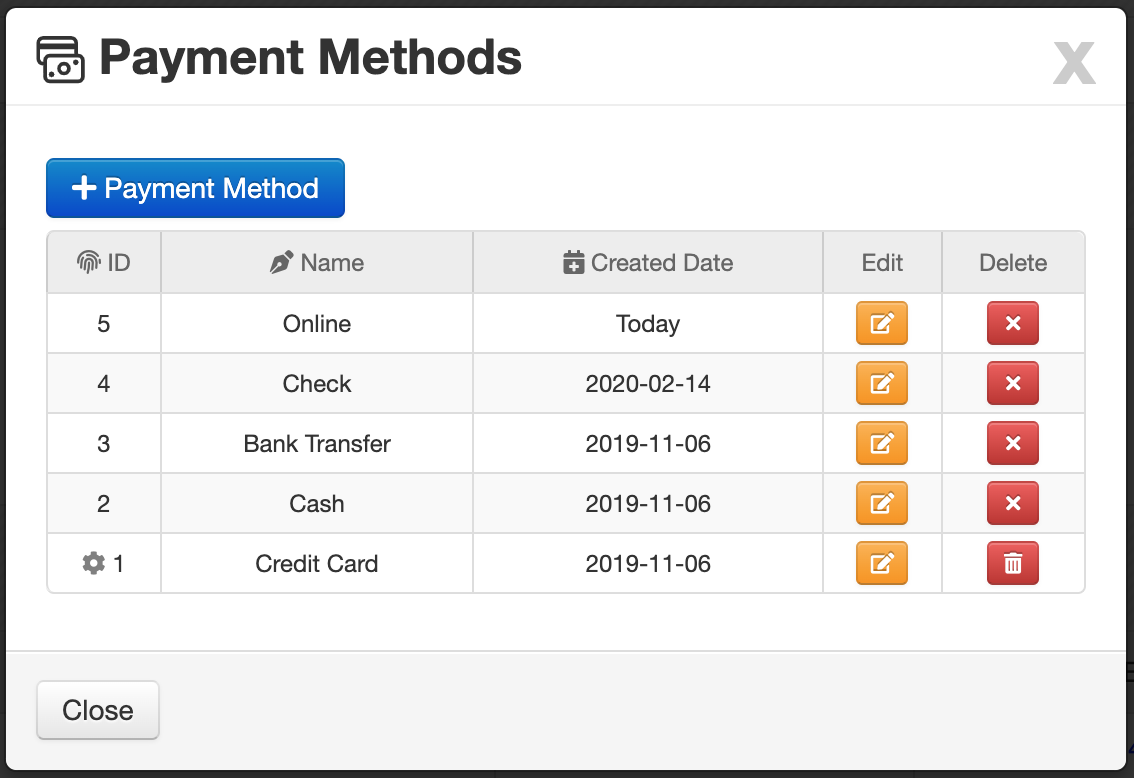
Payment methods list
The results area displays a simple table of saved payment methods.
The table usually includes these columns:
- ID: Unique identifier of the payment method.
- Name: The display name of the payment method.
- Created Date: The date when the payment method was created.
Default payment method
In the ID column, a icon shows that the row is marked as the default payment method.
The default option can help speed up data entry in other pages by preselecting a commonly used method.
Use the default option for the payment method your team uses most often. This can reduce repeated manual selection in other forms.
Row actions
At the end of each row, there are small action buttons for quick management.
- Edit the selected payment method
- Delete the selected payment method
Deleting a payment method may affect users who expect to select it in other pages. Review it before removing it.
Add a new payment method
To create a new method, click: Payment Method
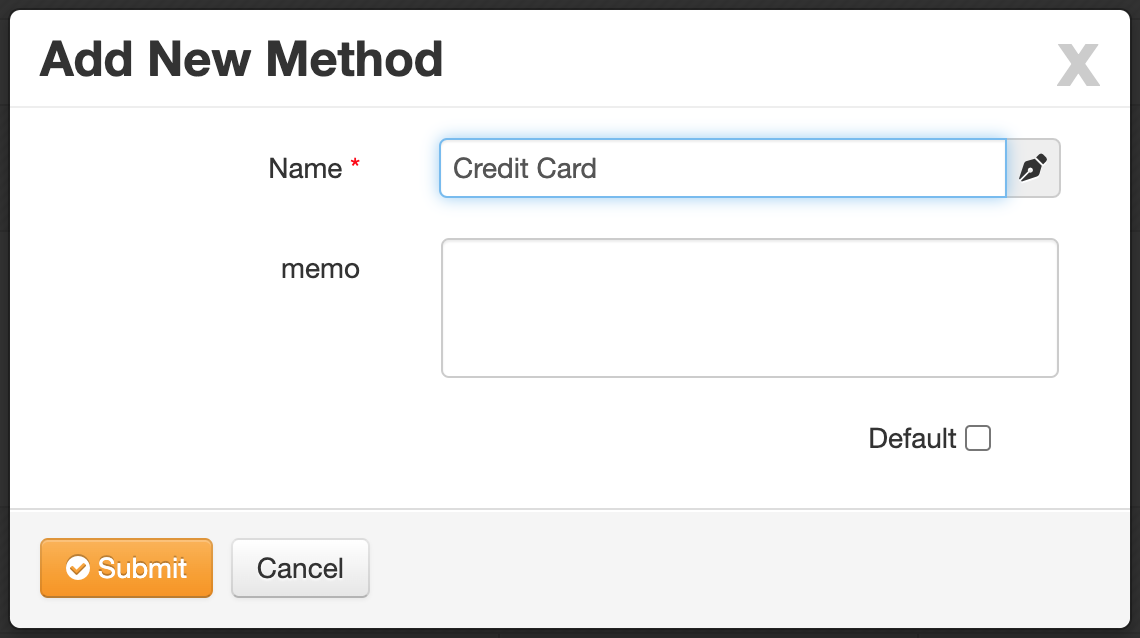
A simple form opens where you can enter the new payment method details.
Payment method form
The form is intentionally minimal and includes only a few fields:
- Name *: Enter the payment method name shown in other forms.
- Memo: Use this textarea for internal notes or extra description.
- Default: Enable this checkbox to make the method the default payment method.
Related pages
You may also want to review these pages:
Screenshots
Add your screenshot here if needed.