Taxes
This page helps you manage the VAT records used across Caramel. Taxes defined here can later be selected in other modules such as Accounting, Orders, and related forms.
The page is intentionally simple. It shows a basic list of saved VAT items and lets you create, edit, or delete them. There are no filters on this page.
Taxes List
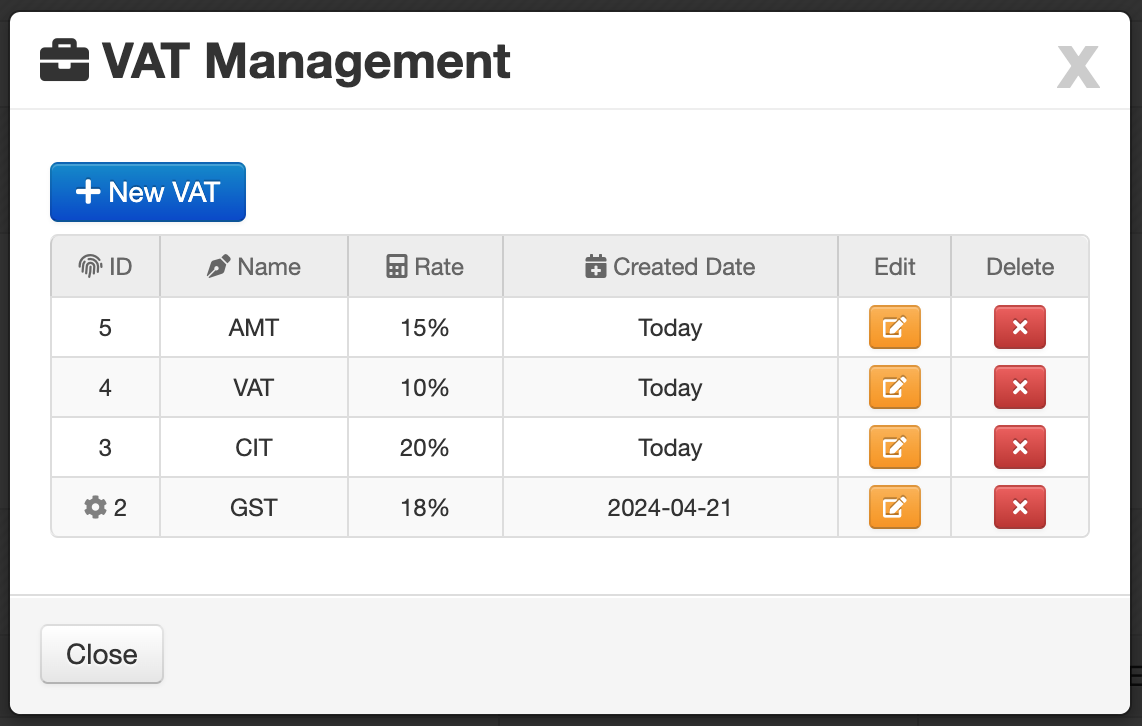
The results table displays the main VAT records you have already created.
Table Columns
- ID: Unique identifier of the tax record.
- Name: The tax name shown in forms and other modules.
- Rate: The VAT percentage or rate used in calculations.
- Created Date: The date when the VAT record was created.
Taxes created on this page are reusable across other parts of Caramel, including Accounting and Orders.
Default VAT Indicator
In the ID column, a icon indicates that the row is set as the default VAT.
The default VAT can be used automatically in other forms to speed up data entry and reduce repetitive selection.
Row Actions
At the end of each row, there are two small action buttons:
- Edit the selected tax
- Delete the selected tax
Deleting a VAT record may affect consistency when that tax has already been used in other forms or documents.
Create a New VAT
To add a new tax, click New VAT
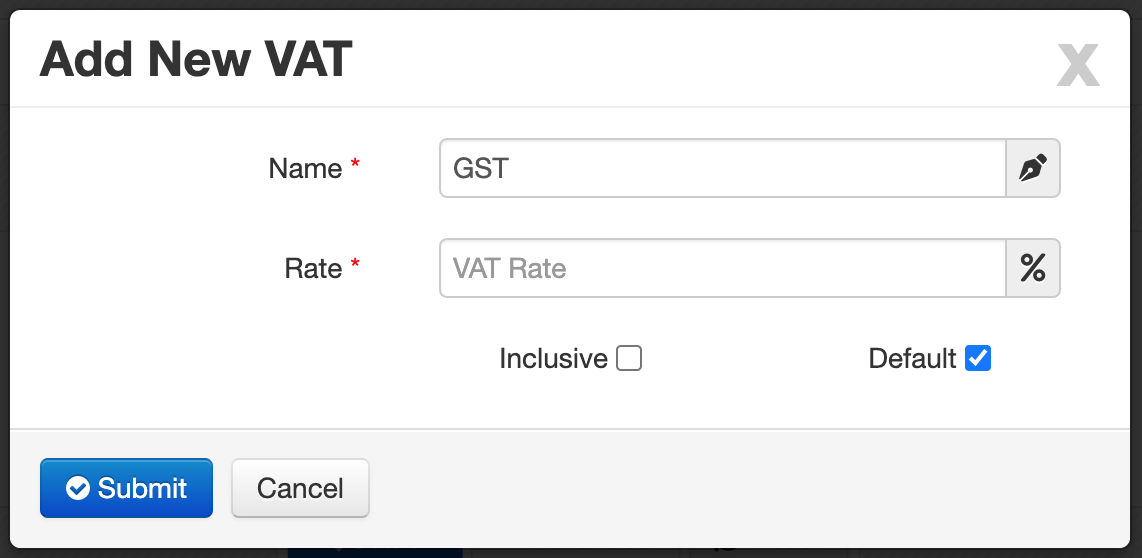
A simple form opens for creating a new VAT record.
Form Fields
- Name *: Enter the VAT title or display name.
- Rate *: Enter the VAT rate value.
- Inclusive: Determines how the tax is calculated. When enabled, the tax is treated as included in the amount. Some modules, such as Orders, use this behavior during price calculations.
- Default: Sets this VAT as the default option for other forms and pages. This helps speed up data entry when the same tax is used frequently.
marked with a red asterisk * are required.